



Monty Hammontree, Paul Weiler, and Bob Hendrich
SunSoft Inc.
7150 Campus Drive, Suite 200
Colorado Springs, CO 80920
(719) 528-4678, (719) 528-3621 and (719) 528-3653
monty.hammontree@Central.Sun.Com
paul.weiler@Central.Sun.Com
bob.hendrich@Central.Sun.Com
This demonstration will show how using personal digital
assistants (PDAs) can facilitate the collection of observer
notes during usability testing and expedite the ensuing analysis of those notes once testing is complete. The
intent of
the demonstration is to provide a forum for the exchange of
new ideas regarding the use of PDAs as usability tools. The
authors will provide an overview of how PDAs have been
employed in their usability testing process and what costs
and benefits have been realized as a result of their use.
Usability, Tools, Data Collection, Laboratory, Testing, Logging, Video, Analysis
Recently, a number of usability specialists have begun to
involve project team members in data collection and analysis phases of the testing process (e.g., Mary Beth
Butler,
Lotus, Jared Spool, User Interface Engineering). Mary Beth
Butler of Lotus, who has championed this type of effort
over the last few years, has put together a team-based observation logging process that builds upon the work
of Jared
Spool (User Interface Engineering). Butler's process
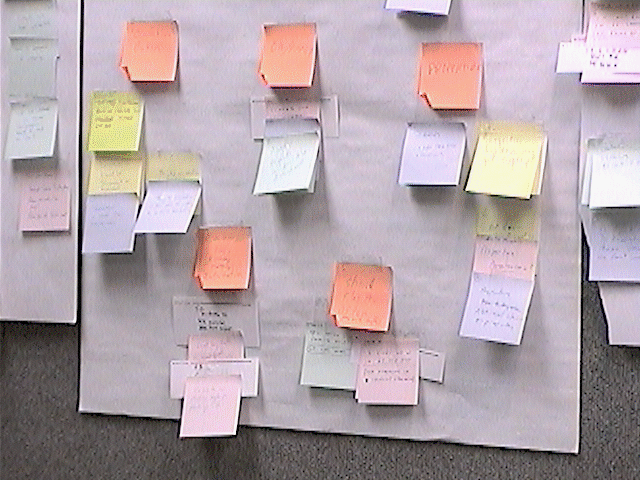
involves having project team members record their observations on post-it notes during test sessions. In
addition to
participating in the logging of observations, Butler's process
involves having project team members participate in the
analysis of the observations collected. She uses an affinity
diagramming approach which involves having the project
team sort the post-it notes into logical groups on a conference room wall. The team labels the resulting
groups and
they are then recorded.
We initially adopted the methods and approaches used at
Lotus. When we applied these processes we observed the
same positive outcomes as reported by Ehrlich, Butler, and
Pernice [1]. While using these methods we observed that
for the project teams seeing was believing, they had higher
motivation to follow-up on usability issues, and they also
developed a clear understanding of user abilities. While we
found the process to cut down our data analysis and reporting times, we found some aspects of the process
to be labor
intensive. Specifically, the post-it notes did not provide any
time related information. As a result, transcribing user comments and locating video segments continued to
be a very
laborious task. We initially tried to address this problem by
asking observers to record timing information on each note.
This failed miserably! Observers were unable to effectively
attend to qualitative aspects of what they were observing
while trying to record timing information. This led to frustrated observers, fewer observations, and less
content overall. We quickly abandoned this approach and began looking
for alternative ways to collect timing information.
In looking for ways to collect timing information our principle requirement was that we find a solution
that would mesh
well with the team-based logging approaches we had been
using. We were very determined to come up with a solution
that would not adversely impact the quality of the notes
recorded by our observers. This meant that the approach had
to be easy to learn, easy to use, and as transparent as possible. We were looking for a solution that would
require no
more than 10 minutes observer training and one that would
quickly become unobtrusive. We achieved this goal by creatively managing some of the features that the
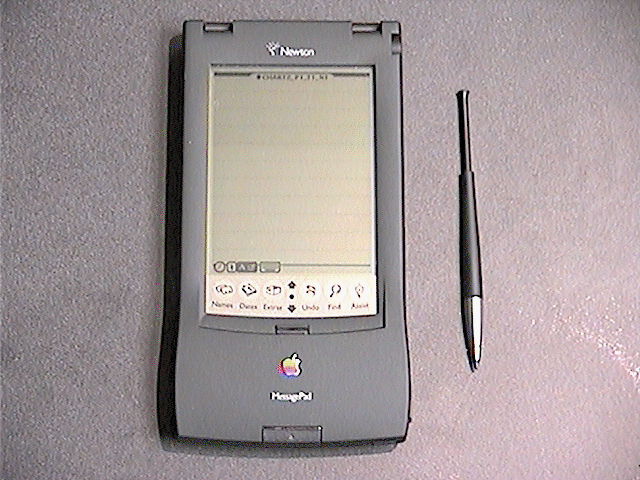
Apple Newton, a Personal Data Assistant (PDA), provides.
NEWTON-BASED OBSERVATION LOGGING
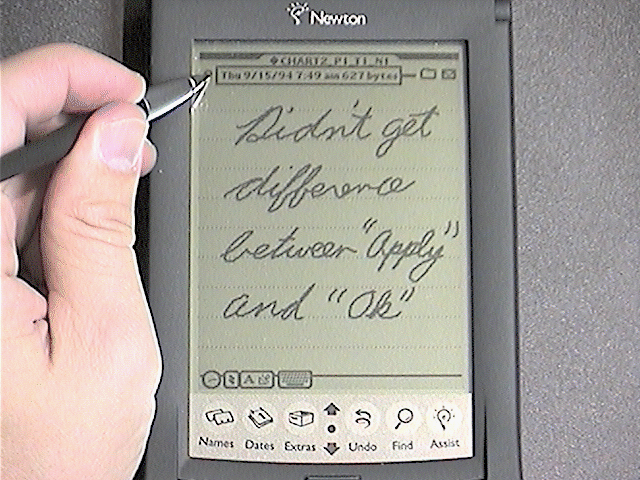
Newtons were a logical candidate for solving the time
stamping problem in that they automatically time stamp each
note recorded on them. They also offer note filing capabilities that we soon discovered could be used to
automatically
add study name, participant ID, task number, and observer
ID to each note. Together with timing data all four of these pieces of information proved to be extremely
valuable
retrieval cues that we were able to use when searching for
key video segments and user quotes.
We discovered that by turning off the handwriting recognition features we
could avoid many of the usability problems
that have been associated with the Newton. Turning off the
handwriting recognition for the Newtons, in effect, turned
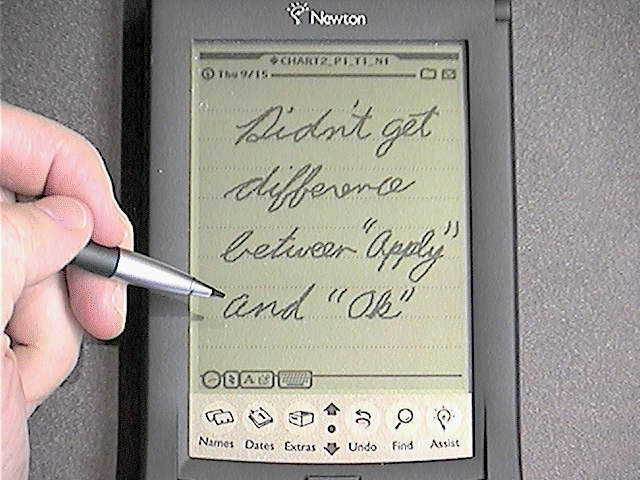
them into electronic sketch pads. Project team members
were then able to write and draw observations quickly, just
as they had when using post-it notes. Unlike standard post-
it notes, however, the notes written on the Newtons were
automatically stamped with the above mentioned contextual information (e.g., creation time).
The process we use for logging observations with PDAs is
very similar to the post-it note process we had previously
used. Initial preparation of the PDA includes naming the
unit, synchronizing the time to the tape decks, and creating
task folders for filing observers comments. Into each folder
name we embed four pieces of information: study name;
participant ID, task number, and observer ID.
The process of recording an observation on the Newton is
easily learned and quickly becomes second nature to the
observers. To record an observation the observer simply
completes a horizontal drag from one side of the Newton's
screen to the other. This motion tells the Newton to create a
new note and time stamp it. This process is repeated until a
task is completed at which time the observer switches to the
next task folder and continues recording. At the end of a
testing session, observers turn-in their Newtons to the
usability specialist who transfers the observations to a desktop Macintosh.
When data for the last participant has been
transferred we print the notes for each participant onto
a different color paper (e.g., notes for participant one onto
green paper, participant two onto red paper, etc.). The same
process we used for classifying post-it note observations is
then used to classify the notes from the Newton print outs.
The notes are first taped onto a conference room wall.
Observers begin by attempting to sort the notes into logical
groupings. Once the observers are satisfied as a team that
the groupings are stable they assign a label to each group.
The usability specialist then records all of the information
off of the conference room wall. This involves transcribing
the data from each note into an issues table that includes the
category/group to which that note was assigned.
The next step in the process is for us to construct a usability
report based on the above mentioned observational data.
The category-based issues table that was transcribed from
the conference room wall serves as the basis for our reports.
In addition to the issues table we include key user comments
in our reports. We also embed video clips into our reports.
These are areas where the time stamping data that the Newtons provide is invaluable.
Typically for each user comment or video clip that we wish
to include in a report there are one or more observer notes
that refer to that event. The fact that we have software that
drives/controls the tape decks in our lab means that we can
replay these comments/clips from tape by simple entering
the time stamp from the corresponding notes into our tape
control software. The tape control software automatically
cues up the tapes and replays the corresponding segment.
We can then transcribe the comments into text that we
include in the user comments section of our reports or feed
the video into software that creates digital video clips that
we can embed directly into our reports.
Abstract
Keywords
BACKGROUND